CampusLogin Wiki is created on WordPress, we made it a powerful and flexible build, also extendible for future stages.
Considering there’s not too much variation, we used a minimalist approach: all content is managed in one site and use Org Category to label org-specific content.
Managing Pages
After login, you’ll be taken to the WordPress backend, aka The Dashboard.
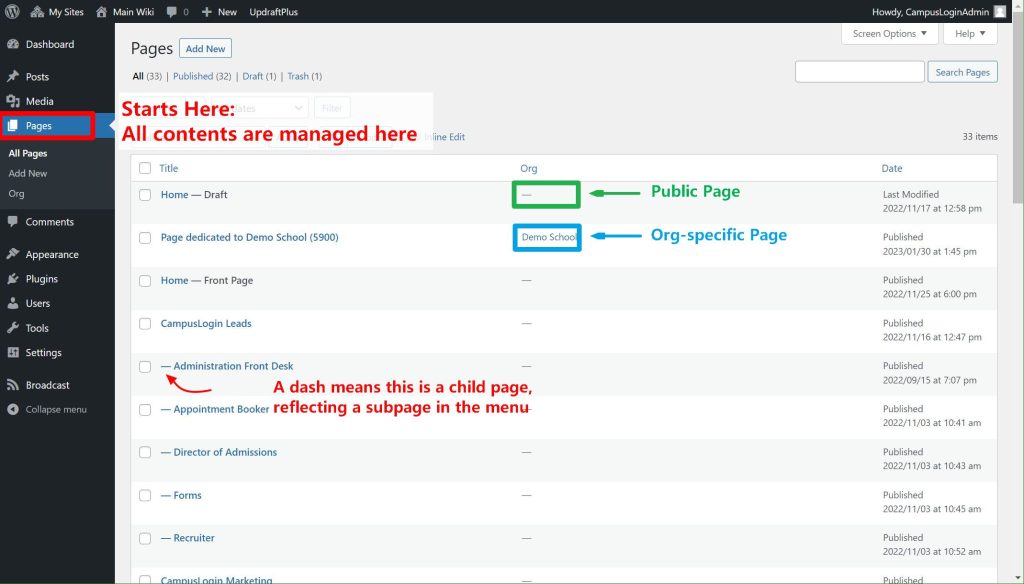
Create A New Page
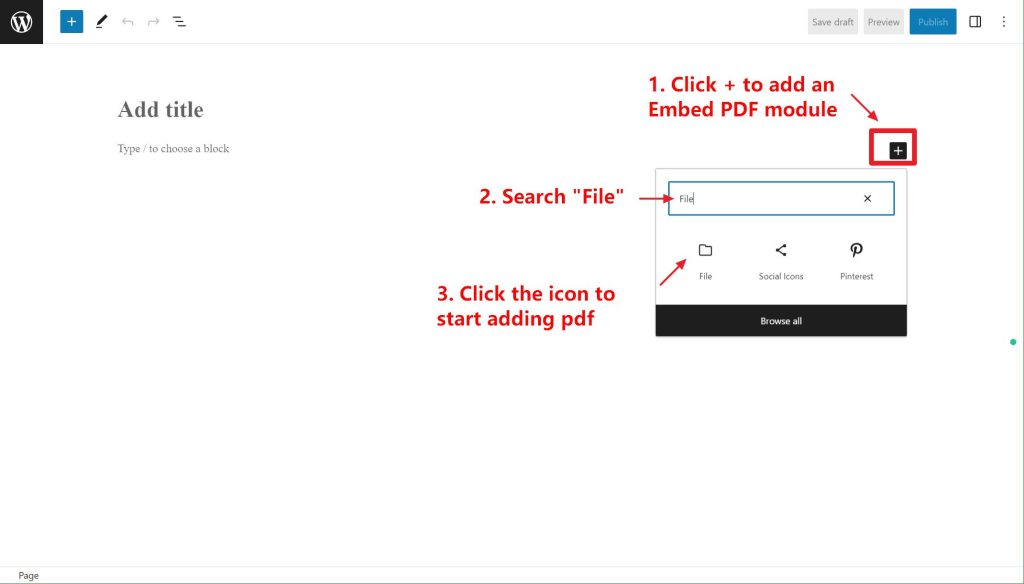
WordPress is using a modern Block Editor, you can add whatever content just like designing an email template.
To embed a PDF:
Manage Orgs
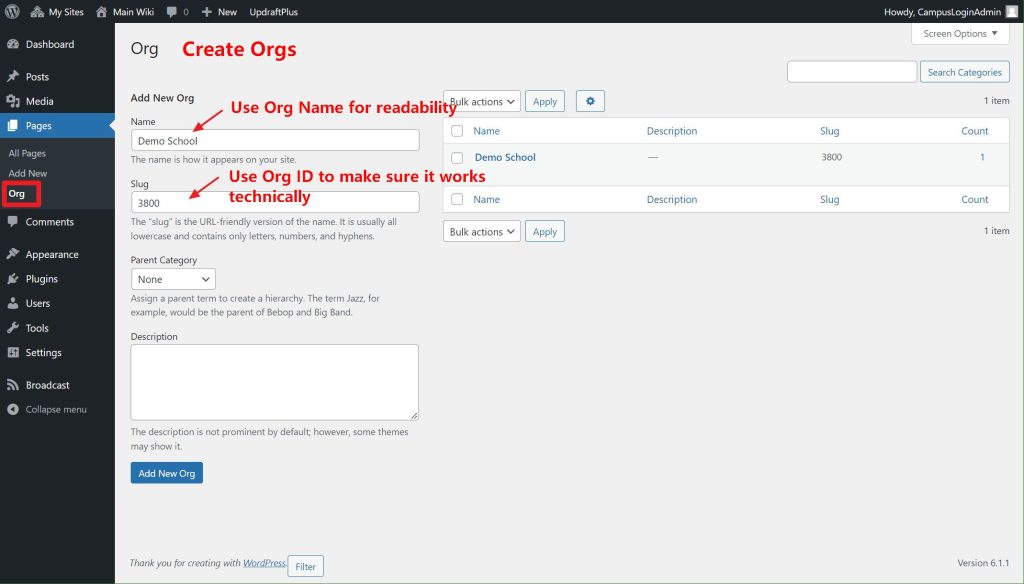
Orgs are currently “page categories” technically, makes them very easy to set, just create one when needed.
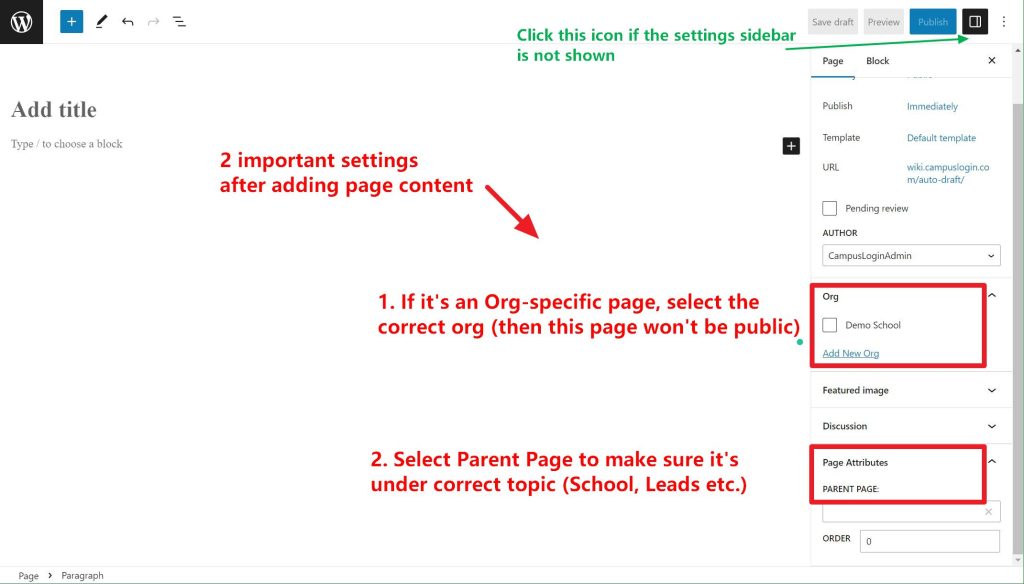
Once you assign a page to an Org, that page becomes no longer public, only shown for that Org’s CampusLogin Users
Adding Pages to Menu
Pages are added to menu automatically, all you need to do is when editing a page, make sure you assign them to the current Parent Page (Schools, Leads etc.)